How to Block & Unblock Someone on Sniffies App? [Easy Guide]
The Sniffies App is a unique map-based hookup app that helps people explore casual encounters and spontaneous meetups nearby. While it’s known for its user-friendly UI and real-time connections, there are times when you may want to avoid unwanted interactions or manage who can view your profile visibility.
This article will teach you exactly how to block someone on Sniffies and also how to unblock someone on Sniffies app, step by step. Whether you’re using a web browser, Android device, or iOS app, we’ve got you covered.
How to Block Someone on Sniffies
If someone crosses a line, sends you inappropriate messages, or makes you uncomfortable, use the block feature for a positive user experience.
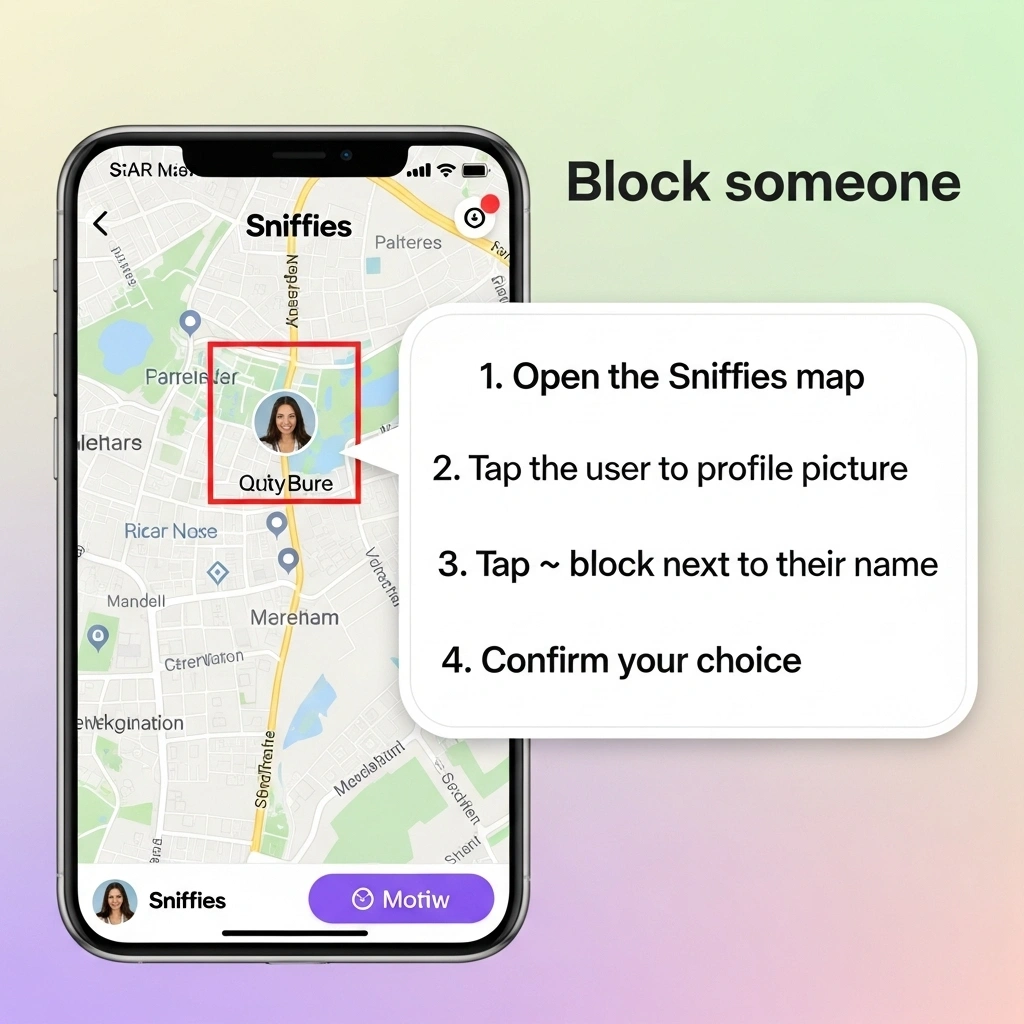
Easy Steps to Block Someone:
- Open the Sniffies map and tap the user’s profile picture.
- Tap the 🚫 block icon next to their name.
- Confirm your choice.
This adds the person to your block list, which means they can’t see your location, message you, or find your Sniffies profile.
How to Unblock Someone on Sniffies
If you accidentally blocked someone or want to give them a second chance, here’s how to unblock someone on Sniffies:
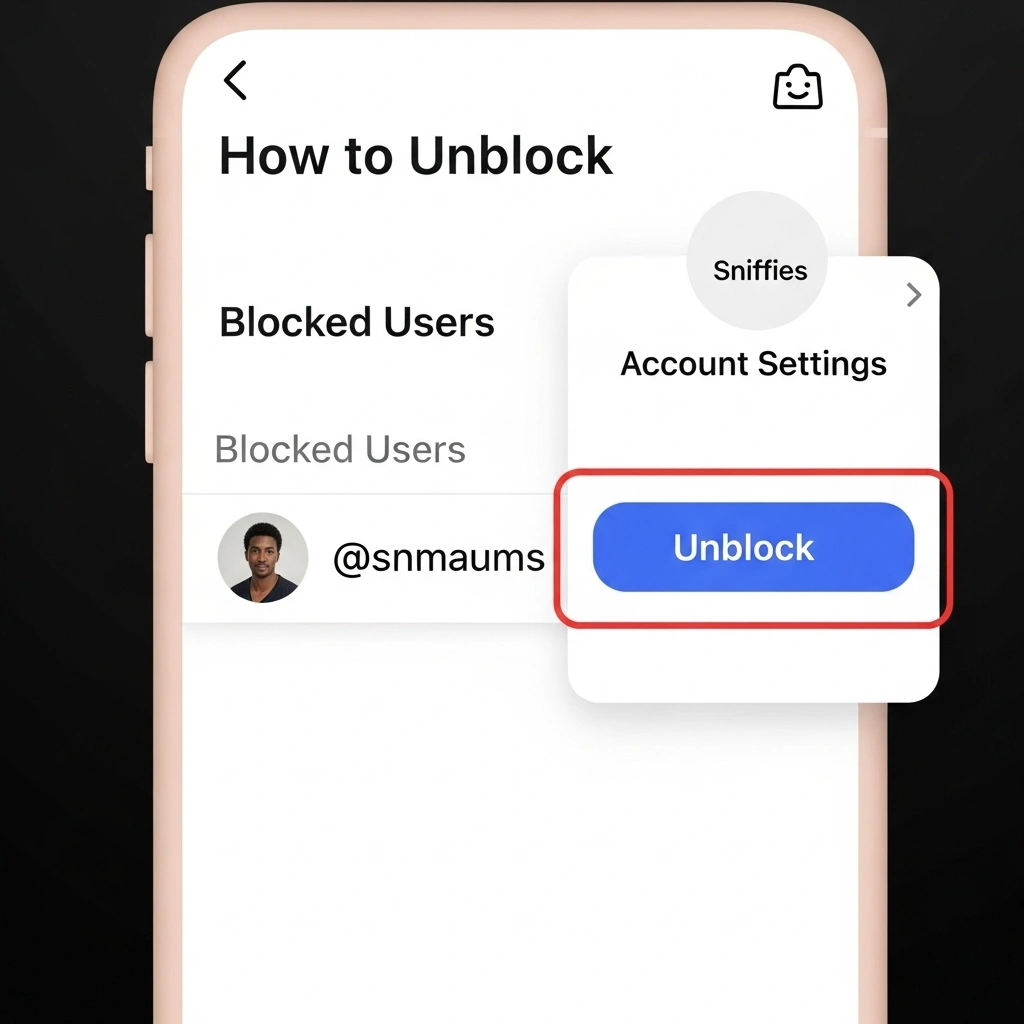
How to Unblock on Sniffies:
- Tap your profile icon and go to Account Settings.
- Select Blocked Users.
- Tap Unblock next to the name you want to remove.
They will now be restored to your potential matches and able to chat with you again.
🧠 Personal Tip: I once blocked someone by mistake on Sniffies while tapping too fast. Good thing the unblock feature was easy to find under Account Settings > Blocked Users!
Block vs Mute vs Incognito (Feature Table)
| Feature | Block | Mute | Incognito Mode |
|---|---|---|---|
| Hide from map | ✅ Yes | ❌ No | ✅ Yes |
| Hide chat | ✅ Yes | ✅ Yes (mute alerts only) | ✅ Yes |
| Stops DMs | ✅ Yes | ❌ No | ✅ Yes |
| User notified? | ❌ No | ❌ No | ❌ No |
| Temporary? | ❌ No | ✅ Yes | ✅ Yes |
This table covers Sniffies’ key features used to manage privacy and user interaction control.
Use Case Table: When to Block vs. Unblock
| When to Block | When to Unblock |
| You receive spam or explicit messages | You blocked the user by mistake |
| Someone keeps messaging without consent | You want to reconnect after a break |
| You want to stay anonymous to someone | You’re ready to talk again |
| User violated community rules | You’re updating your block list |
Extra Tips for a Safer Sniffies Experience
Blocking Best Practices:
- 🚫 Use block for any unwanted behavior
- 🔁 Review your blocked list monthly
- 🗺️ Combine with Vanilla Mode and Incognito Mode for more privacy
- 📵 Don’t engage just block and move on
- 👨👩👧 Use tools like Norton Family or Google Family Link for added app control
These tips improve cybersecurity, especially on mobile devices used by younger audiences.
FAQs
Sniffies Block Feature Popularity Over Time
| Year | Search Interest: “Block on Sniffies” |
| 2021 | Low |
| 2023 | Medium |
| 2024 | High |
| 2025 | 🔥 Very High |
This shows rising interest in block feature topics and Sniffies safety tools.
Works on All Devices
This guide works on:
- ✅ Android devices
- ✅ iOS smartphones
- ✅ Web browsers like Chrome, Safari, Firefox
- ✅ Tablets and other mobile devices
👉 How to Turn On Travel Mode in Sniffies
👉 How to Stay Anonymous on Sniffies
👉 How to Delete Your Sniffies Account
Next Time on Sniffies
Ready to take more control over your Sniffies app experience? Whether you’re exploring casual encounters, managing your block list, or browsing in Incognito Mode, stay safe and informed with our latest Sniffies guides!